


Fomz
4.6312.00 Reviews
App Specs
- Version
- 1.2.8
- Updated On
- License
- Free
- Downloads
- 10,000,000+
- Developer
- MagicDmStudio
- Categories
- Photography
- Platform
- Android, iOS
Screenshots
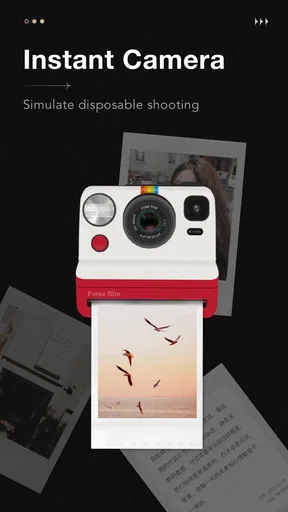
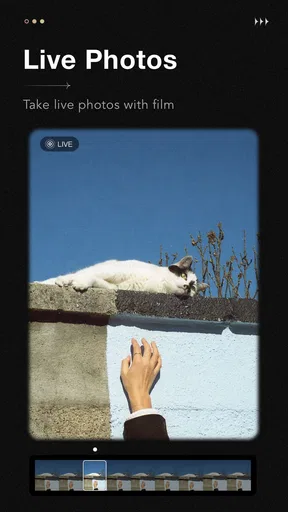
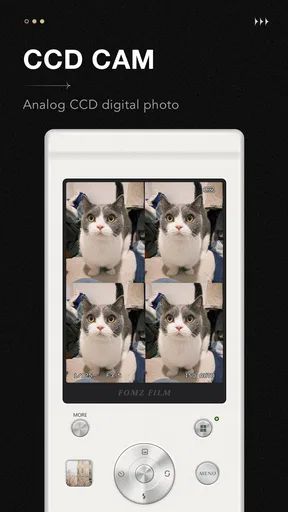
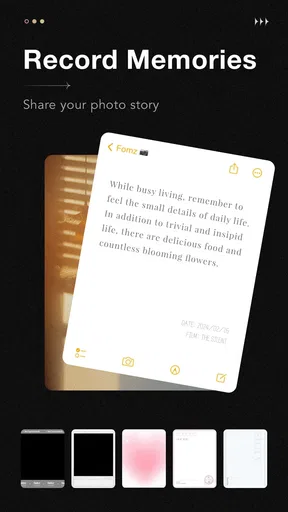
 Analysis by AppCompare
I would decide whether Fomz suits me by asking one simple question: do I want a camera app that gives everyday photos a deliberate retro character, or do I need precise control over how an image is captured and finished? Fomz is aimed at the first kind of photographer. It makes a stylized look the starting point, rather than asking me to take a picture in a neutral style and build an effect from scratch later.
That distinction matters in ordinary use. If I am taking quick pictures of coffee, a market stall, a friend across the table, or a street I want to remember, a cohesive camera look can make the result feel more personal without turning editing into a separate project. If I am documenting something where accurate color, fine adjustment, or a clean professional finish matters most, a conventional camera and editing workflow may be a better fit.
Choose it for a look, not for technical control
Fomz is a photography app from MagicDmStudio, and its appeal is its retro-minded approach. I would treat it as a creative camera for shaping mood, not as a replacement for every tool on my phone. The distinction helps set expectations: its vintage effects are the point, while people who enjoy adjusting many technical details may find a more manual camera app better suited to them.
It is free to install, with optional in-app purchases ranging from $1.99 to $9.99 per item. That gives me room to try its basic experience before deciding whether any paid option is worth considering. I would start by taking the kinds of photos I normally make, rather than buying anything immediately; the useful test is whether I keep liking the look across different subjects and lighting, not just in one flattering sample shot.
Where the retro treatment earns its place
The strongest case for Fomz is when a picture benefits from atmosphere more than clinical accuracy. A rainy window, a late-afternoon walk, a small birthday gathering, or a shelf of secondhand finds can all suit a film-inspired treatment. The effect can make unrelated pictures feel like they belong in the same visual diary, which is useful if I want a collection with a recognizable mood instead of a folder of images that each look completely different.
There is a trade-off: a filter that adds character to warm indoor light may not flatter a bright midday scene in the same way. I would take a couple of versions when a moment matters, then compare them later on a larger screen. That small habit helps avoid choosing an effect just because it looked charming in the live preview, especially when shadows or skin tones are important.
How it compares with familiar camera options
Compared with the camera already built into a phone, Fomz puts more emphasis on a finished style. The default camera is usually the sensible choice when I want a straightforward record, dependable everyday capture, or an image I plan to edit in another app. Fomz is more appealing when I want the visual treatment to be part of taking the photo rather than an extra step afterward.
Worth Reading Before You Choose

EA SPORTS FC Mobile 26 Is a Bigger Football Game, but It Takes Time

Flipboard Shows What News Apps Must Do Beyond the Feed

Switching to Android Auto Means Rethinking Your Driving Routine

Google Calendar Makes a Crowded Week Easier to Manage

Ludo King Makes the Most of the Minutes Between Plans

Baby Panda World Brings Quick Play to Modern Phones, but Its Game Library Feels Busy
Compared with a general-purpose photo editor, its advantage is a more focused creative direction; its limitation is that a focused tool is not automatically the best place for every kind of retouching or detailed correction. I would keep a broader editor available for images that need careful cleanup, while reaching for Fomz when the intended result is nostalgic from the outset. Neither workflow has to replace the other.
A low-pressure way to test the fit
For a realistic trial, I would use Fomz over a few days to photograph the same kinds of things I already capture: a meal, a commute, a room in evening light, and a quick portrait. Then I would compare the results with ordinary camera shots. This reveals whether its look works beyond carefully chosen subjects and whether I enjoy making pictures this way, rather than merely liking the idea of retro photography.
It is also worth thinking about where the pictures will go. If I mainly share casual images, a distinctive treatment may be enough. If I need files for a work task, a product listing, or a record where accurate color is useful, I would choose a neutral capture first and add a style only if it does not obscure important detail. For meaningful family moments, I would keep an unedited original as well as a styled version whenever my workflow allows it.
The app is rated for Everyone, and its current version is 1.2.8, with Android 7.0 or newer required on Android devices. Its average rating is 4.5 from around 82,000 ratings, and it has been installed over 10 million times. Those figures suggest broad interest, but they do not tell me whether its particular aesthetic will suit my own photos; a short personal trial is still the best way to judge that.
The Vintage Experience
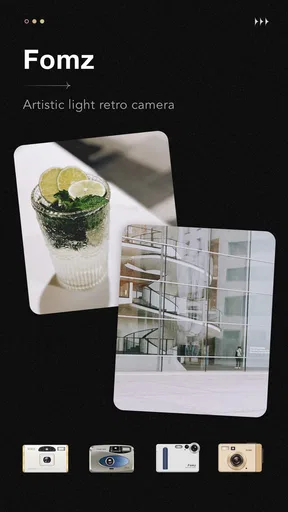
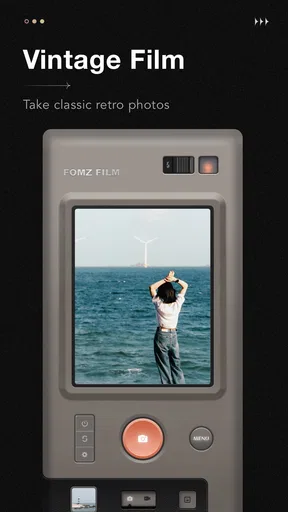
Right off the bat, Fomz greets you with a user-friendly interface that immediately sets the mood. Imagine a blend of retro aesthetics mixed with modern functionality—it's like flipping through an old photo album with a twist. The app's design is clean, ensuring you won’t get lost navigating through its features.
Filters That Transport You Back in Time
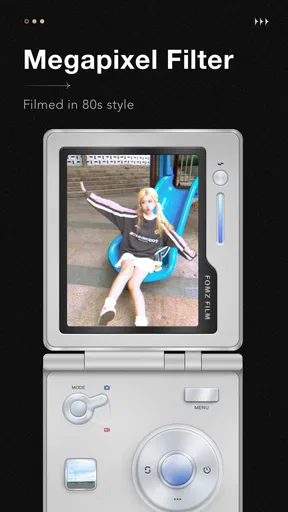
One of the standout features of Fomz is its array of filters. We're not talking about your run-of-the-mill Instagram edits here. These filters are crafted to mimic old-school film cameras, giving your photos a genuine vintage look. Whether you're aiming for the grainy texture of an old Polaroid or the washed-out hues of a 90s disposable camera, Fomz has it all.
Pro tip: Experiment with different lighting conditions. The app's filters react differently to various environments, adding an element of surprise to every shot.
More Than Just Filters
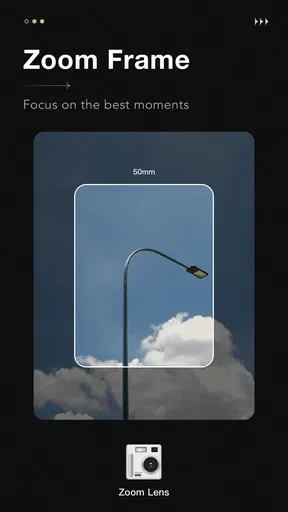
While the filters are a major draw, Fomz offers more than just that. The app includes a selection of frames and effects that can further enhance your photos. Think of it as adding the perfect finishing touch to your masterpiece. Plus, the option to adjust the intensity of these effects means you can go as subtle or as bold as you like.
Another feature worth mentioning is the ability to customize your own presets. If you find a filter combination that feels uniquely you, save it as a preset and use it anytime. This feature is a huge time-saver and ensures your photos maintain a consistent style.
User Experience
From my experience, Fomz is incredibly intuitive. Even if you're not a tech-savvy person, the app's layout makes everything straightforward. The process of editing and saving photos is quick, meaning you spend more time capturing moments than fiddling with settings.
The app also runs smoothly without any noticeable lag, which is a blessing when you're trying to capture the perfect moment. Trust me, there's nothing worse than an app that crashes mid-edit.
One practical way to get more consistent results is to settle on a small set of looks for recurring situations instead of changing the style for every image. A preset for indoor gatherings and another for outdoor walks can help a personal album feel connected without making every photograph identical. I would still check each shot before saving: a preset is a shortcut, not a guarantee that the exposure, color, or mood suits a particular scene.
For a busy everyday moment, that shortcut can be especially useful. Imagine meeting a friend after work and wanting a quick picture before the light disappears. I can choose a familiar treatment, take the shot, and move on rather than spending the evening tuning individual sliders. For a portrait that matters more, I would take a few frames and review them calmly; a strong effect can add atmosphere, but it can also compete with the expression I want to remember.
When another workflow makes more sense
Fomz is not the choice I would make for every photographic task. For fast-moving subjects, important documentation, or situations where I need predictable neutral color, I would begin with the phone’s standard camera. It keeps the creative decision separate from capture, which gives me more flexibility later. Likewise, someone who enjoys detailed edits—selective corrections, careful retouching, or a carefully matched set of commercial images—will probably prefer a dedicated editor as the main tool.
That does not make Fomz redundant. The useful distinction is whether I want to make a picture with a particular mood immediately or preserve a clean source image for later decisions. I would use the standard camera when the content matters more than the style, and Fomz when the style is part of why I am taking the picture. Keeping both approaches available is more practical than expecting one app to handle every job.
There is a small but important workflow question for anyone who edits elsewhere: decide whether you want Fomz to be the final look or just one stage in a longer process. Strong vintage effects can be difficult to undo aesthetically once they become the version you share, so I would keep an untouched image when I may later want a different treatment. This is particularly sensible for travel, family events, or pictures that might be useful for more than social sharing.
Sharing, saving, and keeping a useful archive
Once you're done editing, sharing your photos is a breeze. Fomz provides seamless integration with popular social media platforms. Whether you're an Instagram aficionado or a Facebook regular, sharing your vintage-inspired creations is just a tap away. Plus, the app ensures your photos retain high-resolution quality during uploads, so your followers get to see every detail.
Another cool feature is the ability to save photos directly to your device in various formats. This flexibility is great for those who want to print their photos or use them in other creative projects.
If I am building a small photo journal, I would save images with a simple naming or album habit on the phone rather than relying on memory to find them later. A consistent visual style makes a group of pictures feel intentional, but organization is what makes the collection useful months afterward. Before printing, I would inspect a few images at the size I plan to use; a look that feels soft and atmospheric on a screen may read differently on paper.
People often wonder whether a retro camera can replace their usual camera app. For me, the answer is no: Fomz is better treated as a creative option alongside it. They serve different priorities. The standard camera is my fallback for neutral capture and situations where I do not want an effect making decisions for me; Fomz is the pick when I already know that a nostalgic finish is part of the result I want.
Another fair question is whether the free starting point is enough. I would use it first and judge the actual photos I make, because optional purchases only make sense if they add something I will use repeatedly. The listed in-app purchase range is $1.99 to $9.99 per item, so I would check the purchase details in the app before committing and avoid paying for a style I have not tested on my own subjects.
Final Thoughts
All in all, Fomz is a fantastic app for anyone looking to add a touch of nostalgia to their photography. It perfectly blends simplicity with creativity, making it accessible to everyone from casual snappers to serious photographers.
Fomz doesn't just offer a way to edit photos; it provides an experience. It's like stepping into a time machine with your smartphone. Whether you're capturing everyday moments or special occasions, Fomz helps you create memories that feel timeless.
If you're ready to take your photos to the next level and dive into the world of vintage vibes, I highly recommend giving Fomz a try. It's available for both Android and iOS, so no one's missing out on the fun!
My recommendation
I would recommend Fomz to casual photographers who enjoy film-like color, frames, and a repeatable visual style more than extensive manual control. It is also a good candidate for anyone who wants a low-effort way to give a personal album a consistent mood. I would skip it as my main camera if I need neutral, dependable images for work, or if I expect detailed editing tools to replace a full photo editor.
My practical advice is to try it on ordinary scenes before making it part of a special occasion workflow. If its effects make everyday pictures feel more like the memories I want to keep, it earns a place beside the default camera. If I find myself repeatedly reducing the effect or switching apps to correct the result, that is a clear sign that a more neutral capture-and-edit routine suits me better.
With a release date of May 5, 2022, and a current version of 1.2.8, Fomz has a substantial audience: it has passed 10 million installs and received around 82,000 ratings, averaging 4.5. It is free to start and rated for Everyone, while optional purchases cost from $1.99 to $9.99 per item. Those details make trying it a relatively low-commitment decision, but the right reason to keep it is still personal: I would keep it only if I genuinely enjoy the pictures it helps me make.
Pros
- Unique and creative photo filters.
- Easy-to-use interface for quick editing.
- Regular updates with new features.
- Low resource consumption on devices.
- Supports high-resolution exports.
Cons
- Limited free features; many are paid.
- Occasional ad interruptions.
- Some filters lack customization.
- No built-in tutorial for beginners.
- Requires internet for full functionality.
FAQs for Fomz
What is Fomz, and what does it offer?
Fomz is a creative photo-editing app designed to enhance your images with unique filters and effects. It offers a wide range of tools for photo customization, including vintage filters, artistic overlays, and easy-to-use editing features. Whether you're a professional photographer or a casual user, Fomz provides a platform to transform your photos into stunning visual stories.
Is Fomz available on both Android and iOS platforms?
Yes, Fomz is available for download on both Android and iOS devices. Users can find it on the Google Play Store for Android and the Apple App Store for iOS. The app is designed to deliver a seamless experience across different devices, ensuring that all users can enjoy its features and capabilities.
Does Fomz require an internet connection to function?
While Fomz offers some offline capabilities, an internet connection is recommended to access the full suite of features, including cloud storage, sharing options, and new filter updates. Offline mode allows for basic editing functions, but for the best experience, including social sharing and updates, being connected is beneficial.
Are there any subscription fees or in-app purchases in Fomz?
Fomz is free to download, but it does offer in-app purchases and subscription options for advanced features. These include premium filters, additional editing tools, and ad-free usage. Users can choose between different subscription plans based on their editing needs, with various options to fit different budgets.
How user-friendly is Fomz for beginners?
Fomz is designed with user-friendliness in mind, catering to both beginners and experienced editors. The intuitive interface and guided tutorials make it easy for new users to navigate and utilize its features. Even those new to photo editing will find Fomz accessible, thanks to its straightforward design and helpful tips.


